Turn the phone you own into a voice-first companion that runs hundreds of tasks, guards your focus, and feels alive. Free to use, with an optional plan for higher daily limits.
Get the Hai Robo app on iPhone · Android coming soon · Dock now on preorder
Why your desk feels noisy
Your phone is the tool, and the distraction.
Check the time, lose twenty minutes. A dozen apps for one task. And Siri still can't see your screen or your day.
The 12-app taxCab, food, calendar, notes, banking, music. Every switch breaks your flow.
Focus that slipsPomodoro apps just count down. Nothing actually pulls you back when you drift.
Cold assistantsSiri and Alexa are voice-only, screen-blind, and impersonal. A tool, not a teammate.
Working aloneLong solo sessions get isolating. A speaker on a shelf doesn't help with that.
How it works
Dock it. Say hi. Consider it done.
01
Dock your phone
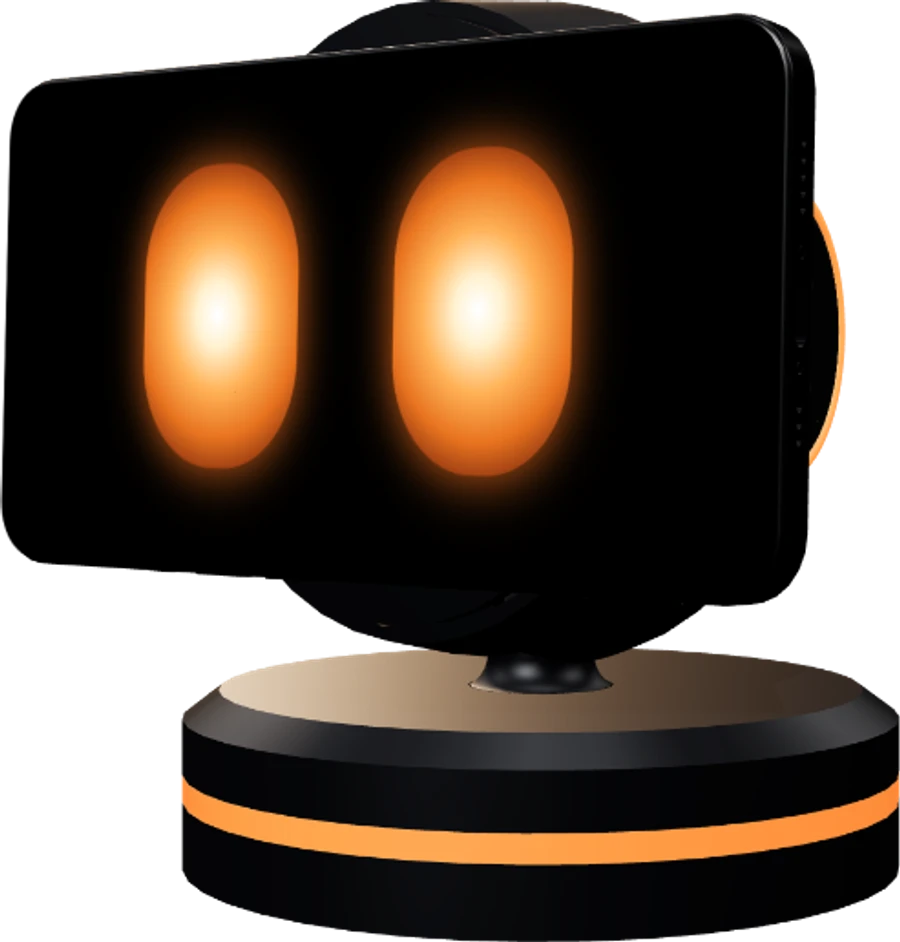
Snap it onto the mount. The eyes wake up and look around your desk.
02
Say “Hai Robo”
Hands-free, from across the room. It glows and listens.
03
Ask anything
Timers, cabs, focus, answers. It talks back and gets it moving.
04
Consider it done
A happy nod when the task lands, then back to watching over your desk.
Keep scrolling to play the sequence ↓
What you get
A teammate that does real work.
Most desk gadgets either talk or look cute. Deskmate does both, and gets real work done.
01/ focus
It holds your focus, out loud
Start a session and it blocks the apps that pull you away. Drift on a paired Mac and it turns its head, glows orange, and calls you back. Slipping stops feeling invisible.
More deep-work hours, on a focus count you can watch climb.
02/ voice
20+ everyday tasks, without unlocking your phone
Stop digging through apps. Just say it:
"Cab home" prefills your destination, so you just tap book.
"Compare cab prices" lines up your options side by side.
"Order my usual" fills your cart, ready for you to confirm.
"Log 500 on lunch" is filed to your expense ledger instantly.
Deskmate opens your installed apps to the right screen. It never auto-pays or places an order for you.
03/ mac
It can see your Mac, no screenshots
Pair a Mac and ask "what is this error?" It reads your screen and answers out loud, debug, redesign, or rewrite, all hands-free.
Needs the macOS companion app and a Mac on the same account.
04/ presence
It feels alive, so you're not working alone
It spins to face you, greets you by name, glances back when you look over, and lights up when you win. Less tool, more teammate at your side.
And the rest of your day
One voice. A hundred small wins.
A whole day's tasks, answered the moment you speak. Tap any feature to try it.
Deskmate repliesTap any feature on the right to see it respond.
› Tap a feature. The reply shows on the dock panel.
+
And a whole lot more
Plugins
Missing a feature? Add it.
Deskmate grows with you. Install new skills from the gallery in the app, or build your own. A plugin runs on the robot’s face and can talk, move the eyes, light up the dock and turn the head.
Follow Meby Hai Robo
THIS PLUGIN WANTS TO
Use the cameraThe plugin receives hand and face POSITIONS only, never the picture itself.
Move the robotThe plugin can turn the head. Movement stays within safe limits.
Don’t installAllow and install
Install
New skills, on your terms
Browse the gallery in the app and install what you like. You see exactly what a plugin wants before it installs, and nothing is granted until you allow it.
No internet access of its own.
Remove it in a tap, along with anything it stored.
The app gives it a voice. The dock gives it a body: it holds and charges your phone, turns to face you on three motors, and looks away when you drift.
Pan 320°·Tilt 320°·Lift 80°
Magnetic charging mount
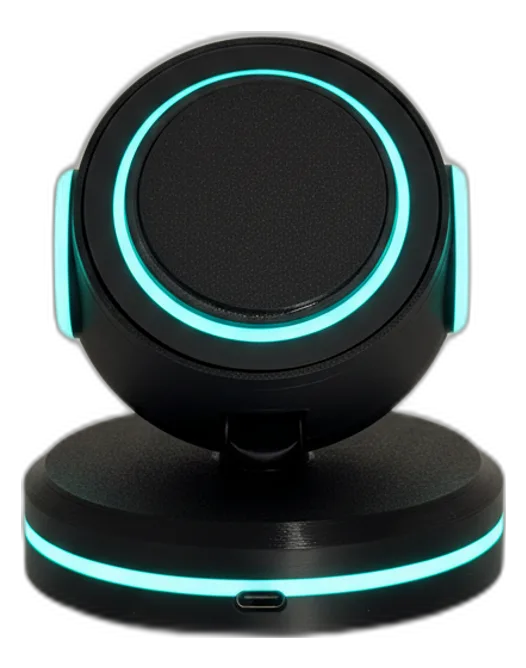
Snap your phone on. It locks, charges, and comes to life, with no cable to fumble.
3-axis motion
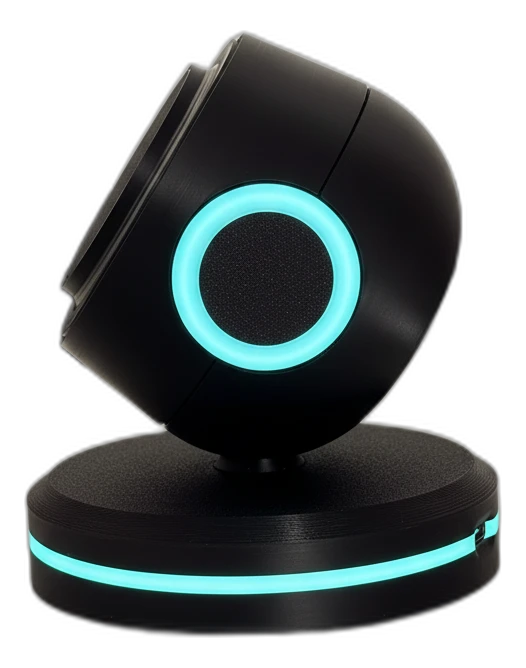
Motors pan, tilt and lift the head so it physically turns to face and follow you.
Mood lighting
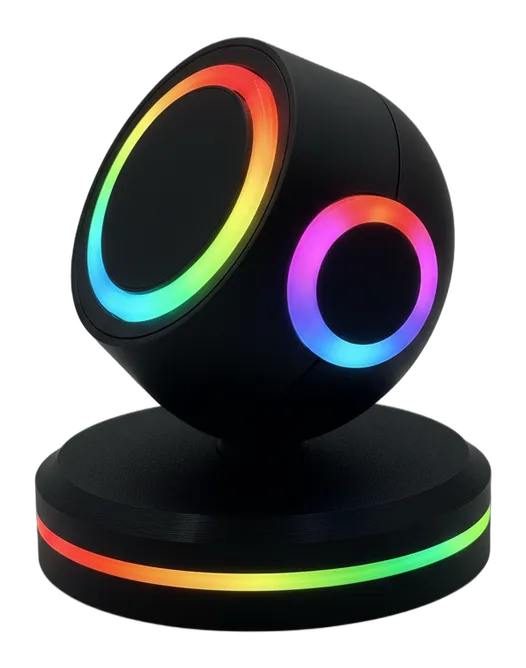
An LED ring on the base glows softly to match the moment and show status.
Powered over USB‑C
Runs off your phone's own Type‑C charger. One cable, no extra adapter.
Wireless chargingCharges your phone, runs on its own chargerMood lightingSets the tone, shows status at a glanceFloating-headBalanced ball joint, alive at rest
This is the part you'll wish you bought sooner. The dock turns Deskmate from an app into a presence on your desk.